

Modded DayZ hosting
Install Workshop content, arrange the load order and manage all game files in VXPanel for your chosen map and mods.
Host your modded serverPlan a PC server for Nasdara, the map in DayZ Badlands. Talk to us about player access, mods and migration before launch. VYKIX hosting support is not yet confirmed.
The plans below are for current DayZ hosting. Badlands support is not yet confirmed; an order does not reserve a Badlands server. VXPanel and CFTools Architect are available with DayZ Architect+. Your order total, including applicable taxes and fees, is shown before payment.


Start with a conversation about your players, mods and launch plans. Check the Nasdara requirements below and confirm hosting support before ordering.
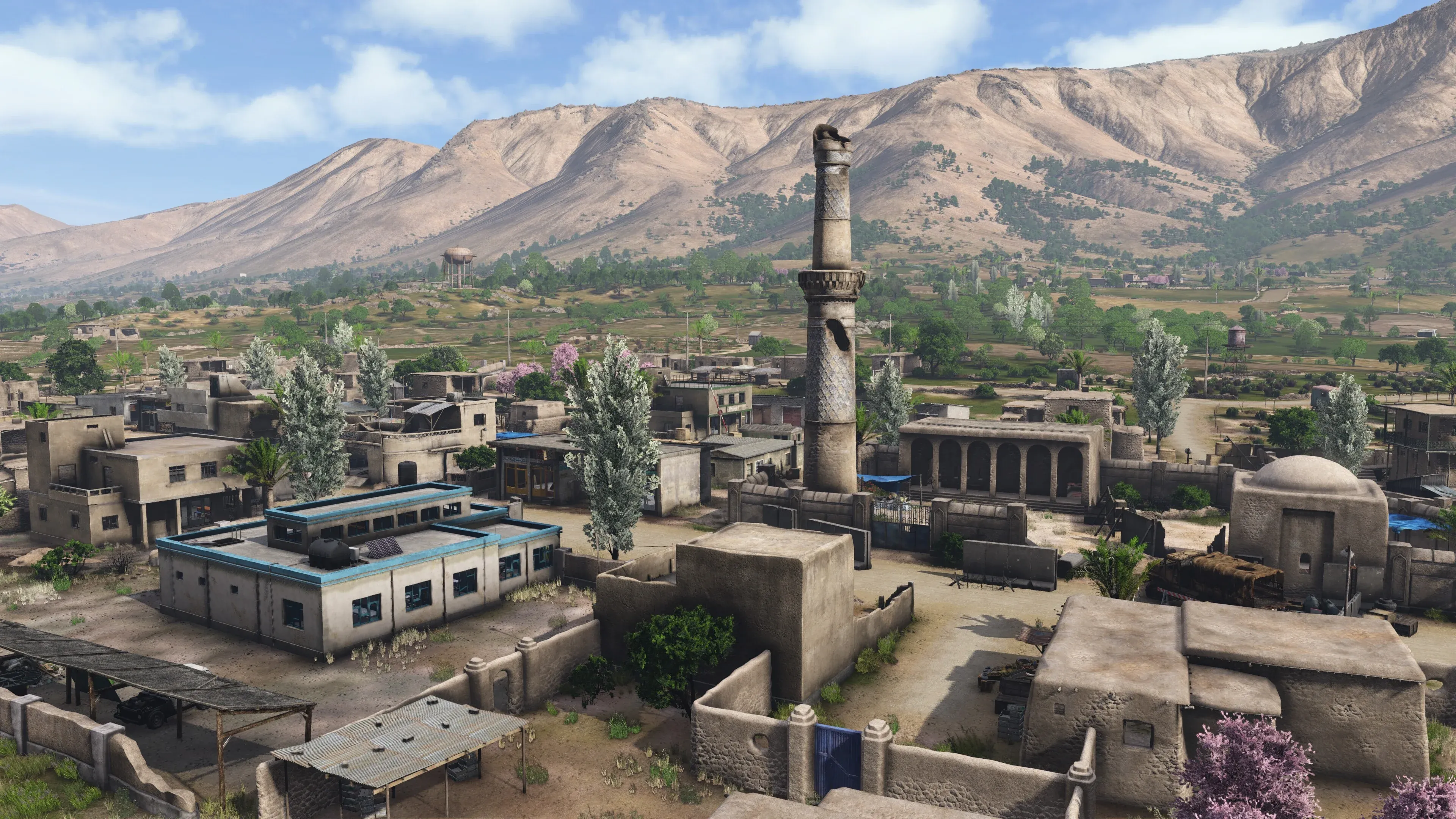
Nasdara is the 267 km² arid terrain in DayZ Badlands. Bohemia’s previews describe heat, scarce water and sandstorms. Review the map’s released economy and survival settings before carrying over rules from Chernarus, Livonia or Sakhal.
Read the official Badlands previewOur current DayZ platform provides mission settings, player-access controls and full game-file access in VXPanel. This walkthrough shows those existing controls; it does not demonstrate a running Badlands server.
Explore VXPanel configuration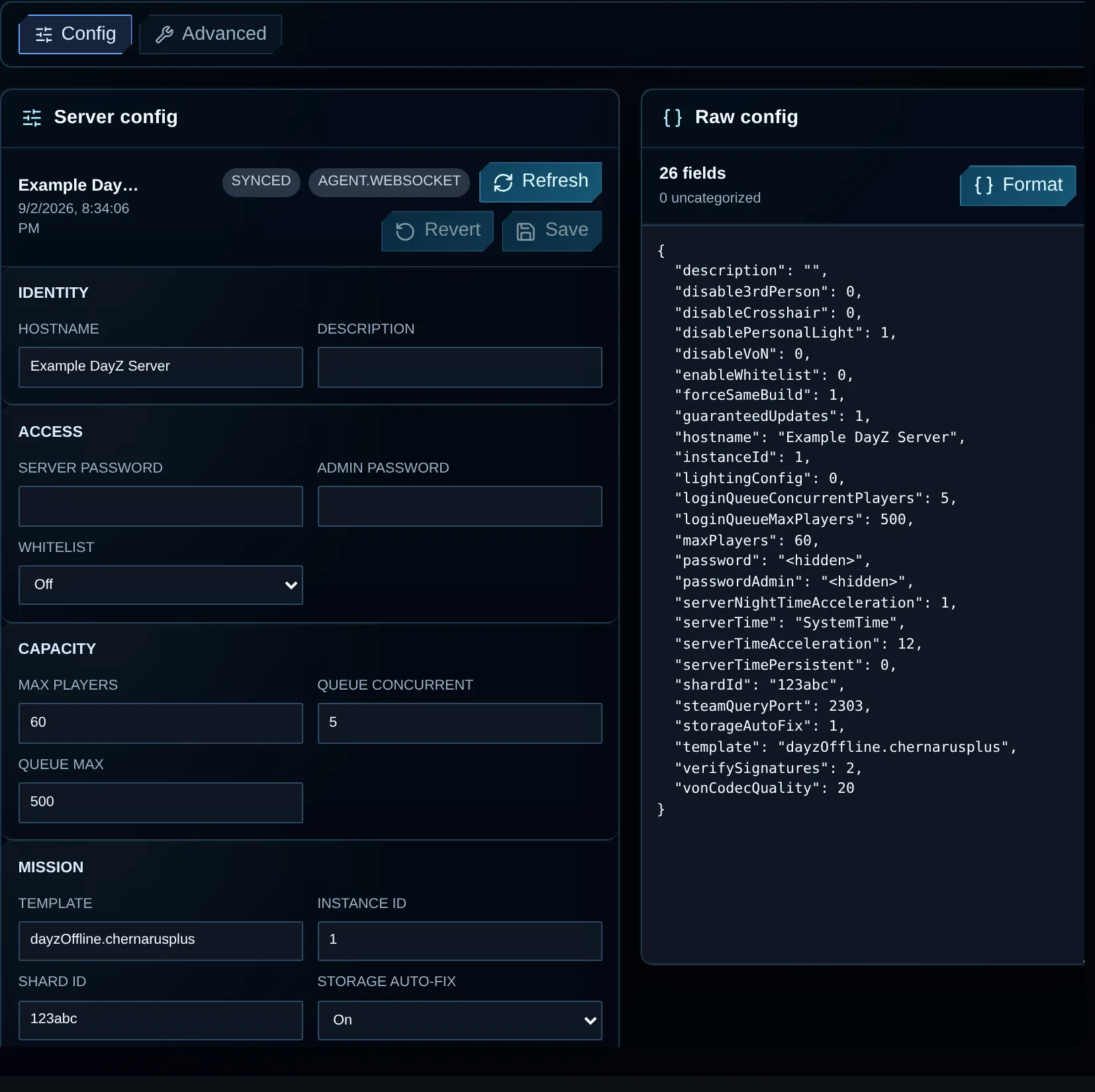
Current VXPanel configuration controls. Badlands server support is not yet confirmed.
VXPanel is shown above. DayZ Architect+ includes VXPanel and CFTools Architect.
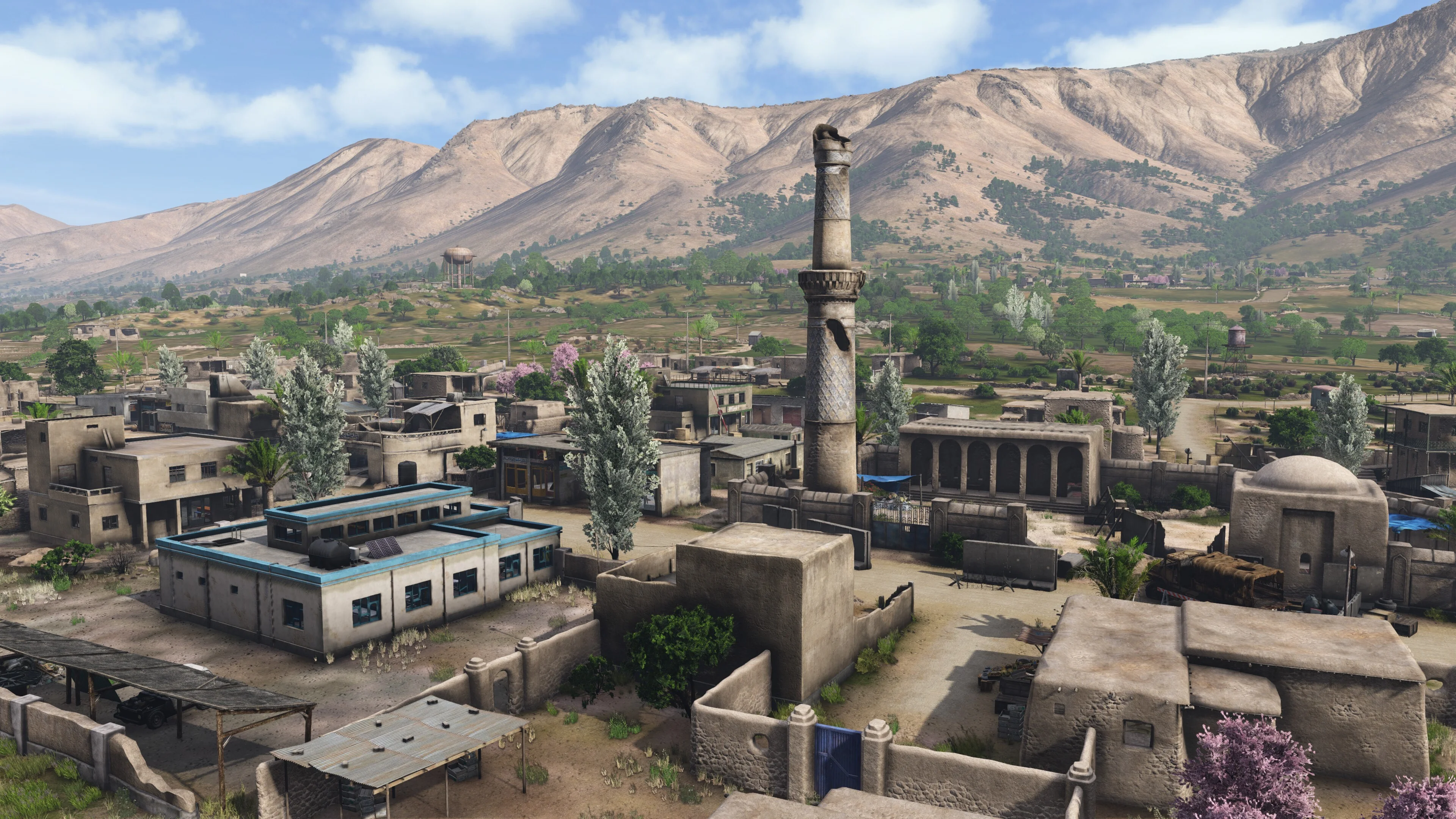 Nasdara / Badlands
 Nasdara in official DayZ Badlands preview imagery. The expansion is upcoming and the scene may change before release.
© Bohemia Interactive a.s. All rights reserved. Image usage terms · Permission enquiries
Each physical server is overclocked and liquid-cooled, then tested for 72 hours before we hand it over.
The plans below are for current DayZ hosting. Badlands support is not yet confirmed; an order does not reserve a Badlands server.
Need help choosing? Ask on Discord (opens in a new tab)
Card required. No charge. You choose whether to buy.
After 48 hours, the trial stops and no paid subscription begins. Paid and trial hardware may differ. Export files you need before expiry; active trial data is deleted seven calendar days after suspension.
Move your existing community with free migration help and seven days free if you qualify for the switcher offer.
Tell us your current provider, data size, mods, peak player count, region and preferred move date.
We review the files with you and agree how the move will work.
Check and approve the plan before we transfer your server.
Tell us what you are moving.We agree what to transfer and when before starting the move.
Prepare the details for a VYKIX Discord ticket. Your host, player count and mod list stay in your browser until you share them.
Choose Chicago or Amsterdam to place your server closer to your players. The paid plan includes an i9-14900K OC, DDR5 memory and NVMe storage; use the DayZ server requirements checklist when planning the load from your map and mods.
DayZ traffic passes through VxShield's Global Anycast edge for filtering before accepted player traffic reaches your server.
Included on every planNo DDoS add-on fee.
DayZ-aware filteringA protection profile built for DayZ traffic.
Network statusView live status (opens in a new tab)VxShield combines upstream mitigation from Global Secure Layer (GSL) with additional filtering on VYKIX's network.
The Ground Zero report recorded a 2.56 Tbps network peak on .
The VxShield Anycast cache replies to supported A2S_INFO server-browser checks. A cache hit keeps that request out of your DayZ process, including during an A2S flood.
Included with managed DayZ hosting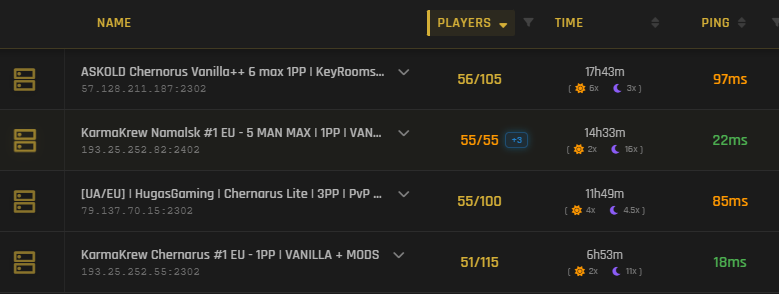
For steadier server-browser responses, VxShield replies to supported A2S_INFO checks using status cached at the Anycast edge. Requests served from that cache stay out of your DayZ process, including Layer 7 A2S floods targeting Steam query handling.
Read the KarmaKrew A2S attack case studyOwner-supplied capture · 18 August 2026. The capture measures server-browser response; it does not measure gameplay latency or promise a fixed result. Results vary with viewer and server location, route, load, refresh timing and configuration.
Open full capture (opens in a new tab)
Choose Chernarus, Livonia, Sakhal or any other released official DayZ PC map, or use a compatible community map from the Steam Workshop. VYKIX maintains the host while you handle mission files and configuration in VXPanel. Learn how to install Workshop mods and check dependencies.
Open the free DayZ economy editorPlayers need DayZ Frostline for Sakhal. Check server-file compatibility and dependencies before installing a community map.
See how VXPanel handles Workshop mod installation, planned restarts and server-file editing.
Choose mods for your community and arrange the order in which they load.
Check the dependencies listed by the mod author before installation.
Read the mod installation guide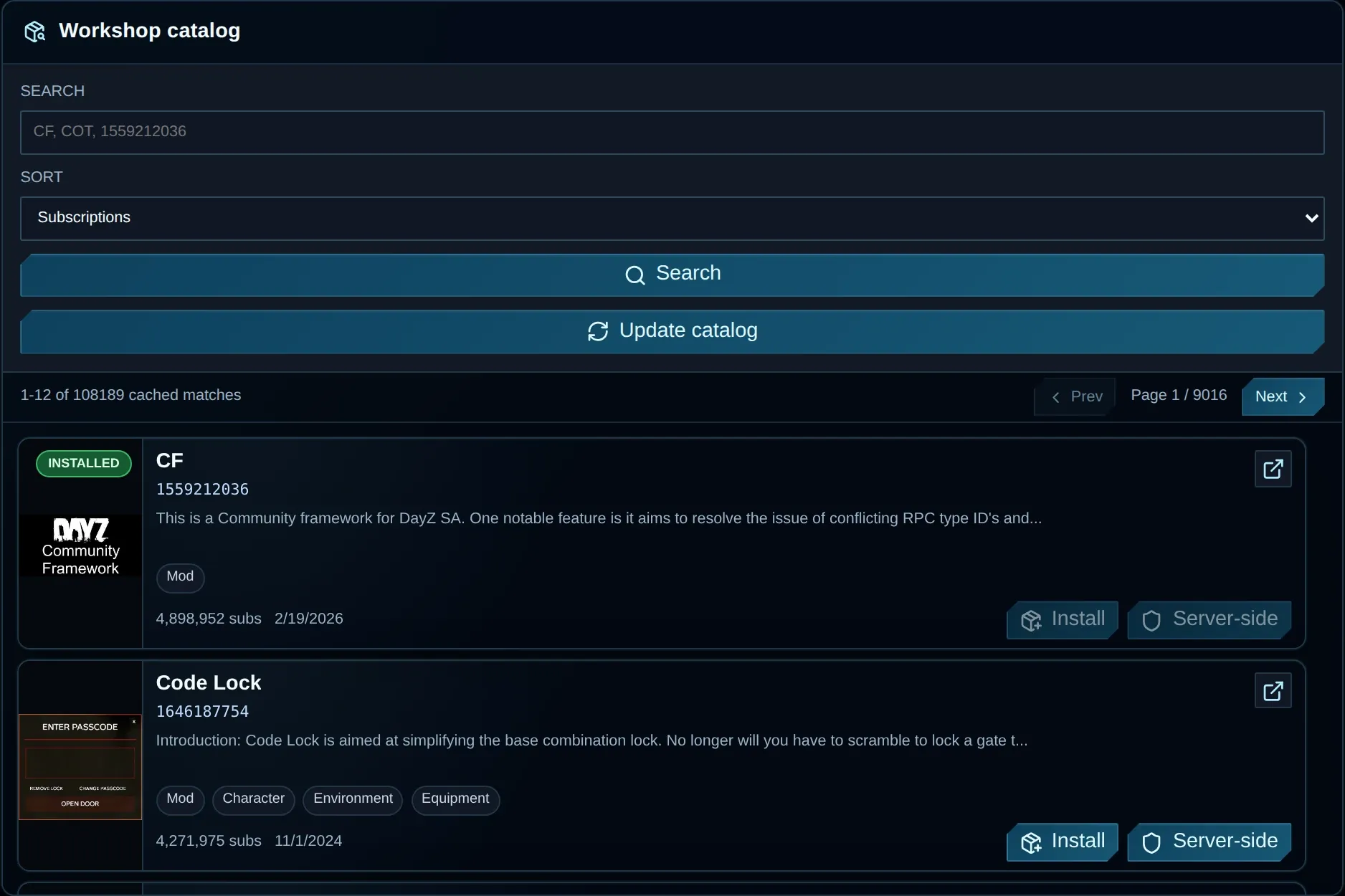
Choose a timezone and time, check the resulting schedule, then save it.
Check the restart policy and choose a time when your community is quiet.
Read the restart scheduling guide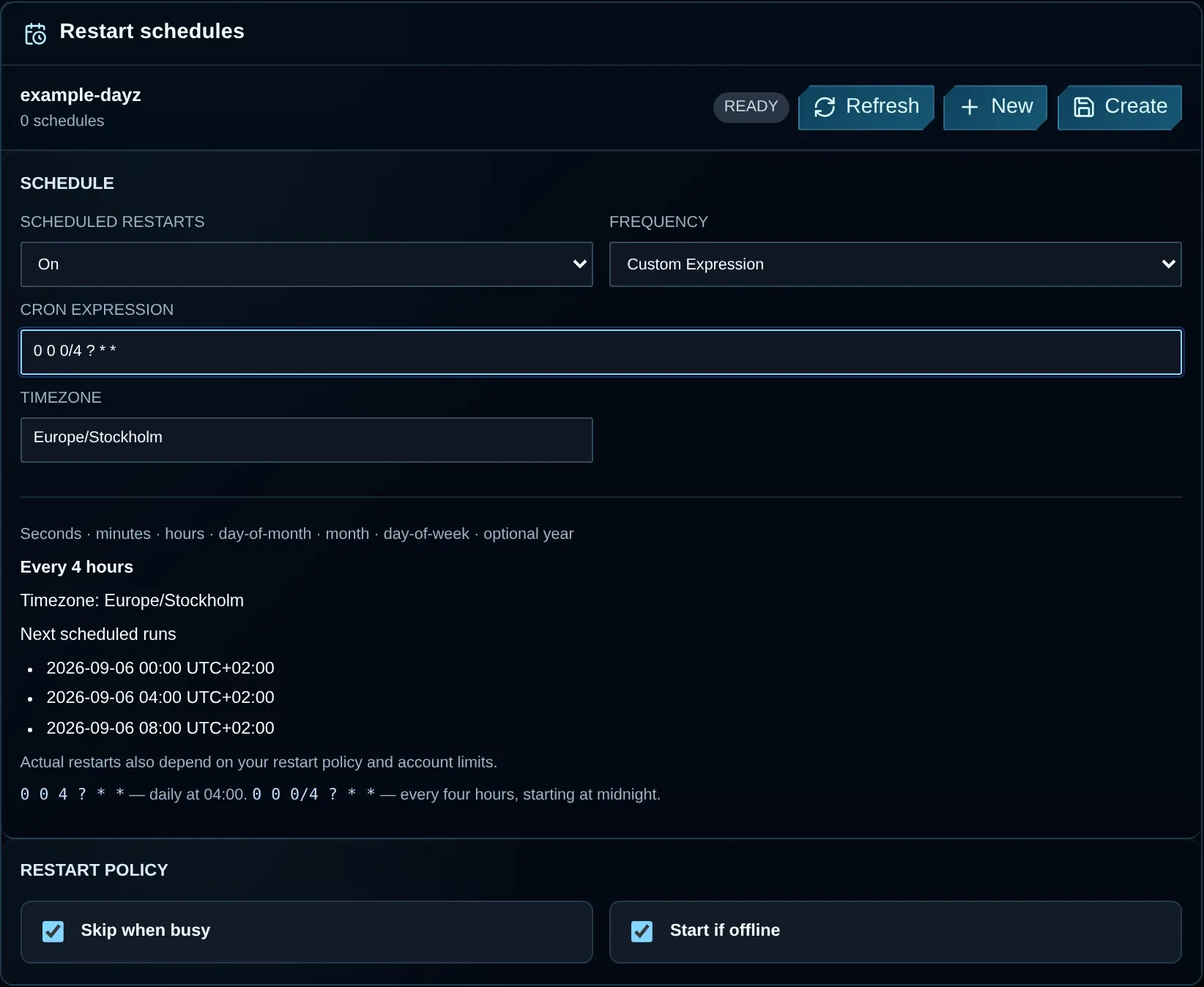
Use File Manager to browse the server directory and upload your configuration.
Transfer larger files through SFTP.
Read the file access guide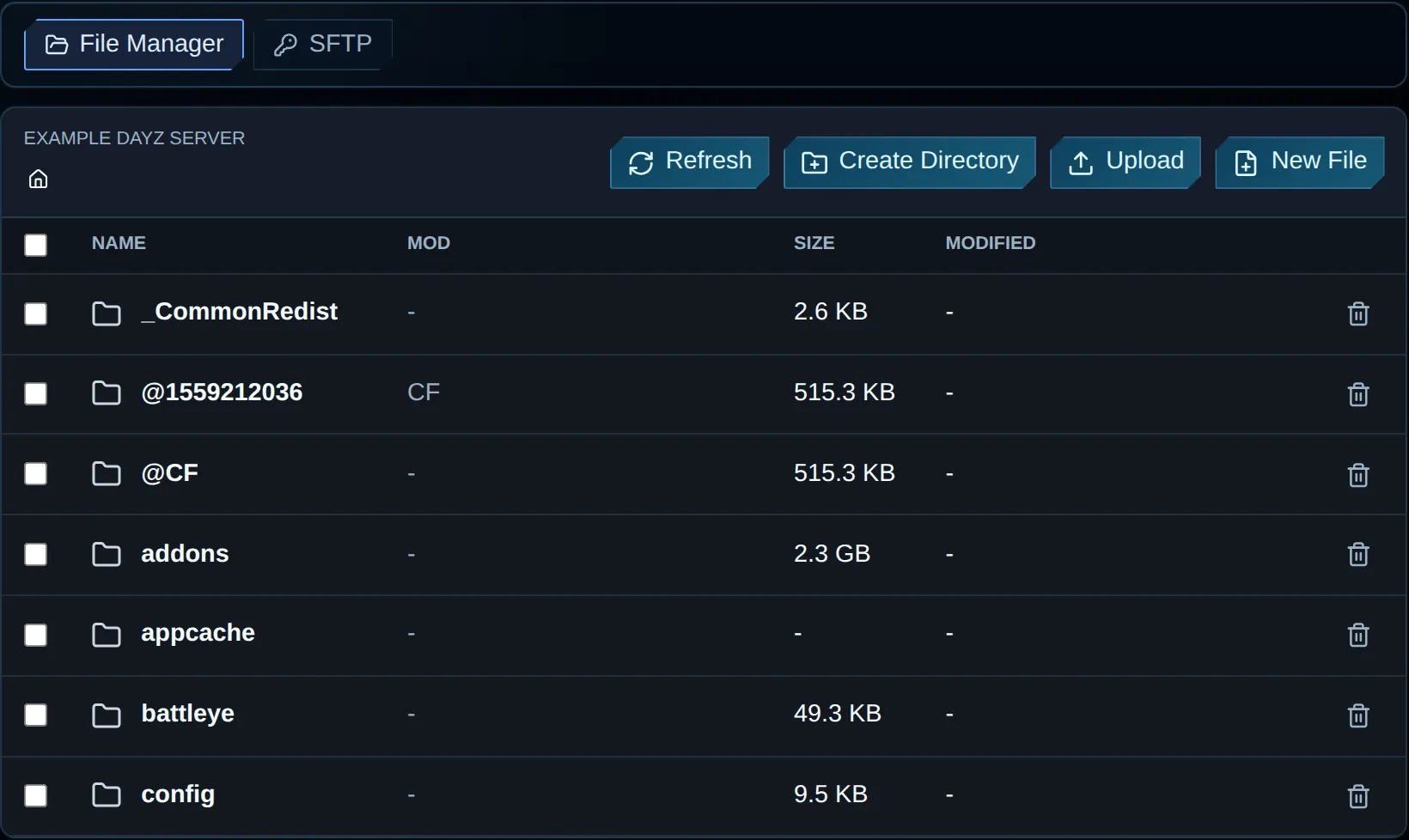
Your paid server includes a DayZ website and basic static hosting for rules, mods, events, staff, Discord links and community updates.
Included with your active paid DayZ plan. Request your site on Discord. Request my DayZ website on Discord (opens in a new tab) Support just keeps getting better and better, Niko & Vykix a credit to the gaming server world.
We've used Niko's services for over a year now with fast support, minimal issues and great hardware.
Fantastic connectivity and an incredibly responsive tech team.
Selected customer experiences, quoted in English. Sources checked . Read the full reviews and replies on Google.
Badlands hosting availability at VYKIX is not yet confirmed. The plans and hardware on this page describe our current DayZ service, not a Badlands preorder. Contact us to discuss your community and confirm support before ordering for Nasdara.
Bohemia Interactive has announced 15 October 2026 as the release date for DayZ Badlands. We checked that announcement on 1 October 2026. The expansion’s release date does not confirm VYKIX hosting availability; ask us about support before planning your server launch.
VYKIX has not confirmed a Badlands-specific hosting offer. Our current managed DayZ plans start from €39.99/mo excl. VAT; that price is a reference for the existing service, not a Badlands quote or reservation. Your order total, including applicable taxes and fees, is shown before payment. Player purchases of DayZ and its expansion are separate from server hosting.
Nasdara is the 267 km² terrain announced for DayZ Badlands. Bohemia Interactive’s preview shows an arid landscape with towns, military sites and oil infrastructure. The expansion is still upcoming, so features may change before release.
Badlands is paid downloadable content for DayZ. Plan for each player to own the base game and the Badlands expansion on PC. Check the final requirements on the official Steam listing. A VYKIX hosting order does not include player game licences, and this page describes PC hosting rather than an Xbox or PlayStation service.
Use the mission folder and template supplied with the released Nasdara server files. We have not verified the final mission-template name or a Badlands installation in VXPanel, so there is no confirmed copy-and-paste configuration here. Keep your current setup backed up and check the released files before changing serverDZ.cfg.
Compatibility depends on the mod, the server build and any terrain-specific configuration. Ask the author about Nasdara support. Test dependencies, load order, player joins, loot and persistence on a separate test instance before adding the mod to a live community server.
Do not assume your current setup will transfer unchanged. Keep a backup of your mission, economy files, mod configuration and player data. Confirm the released server files and each mod’s compatibility before replacing a live community server.
Find the guide for your map, community style or hosting location, with the controls and setup choices you need for a PC server.
Install Workshop content, arrange the load order and manage all game files in VXPanel for your chosen map and mods.
Host your modded serverSet up a join password or whitelist for friends and invited players, then choose the map and rules for your private community.
Host your private groupFor help planning your server, read how much a DayZ server costs, the DayZ server setup guide, and how DayZ DDoS protection works.
Use the best DayZ server hosting checklist to compare providers. The free DayZ hosting guide covers self-hosting costs and trial terms.