
DayZ, Rust, Minecraft & more
Game server hosting on overclocked hardware.
Host your community on liquid-cooled hardware with VxShield DDoS protection. Pay for managed game hosting without per-slot fees. Managed DayZ uses an overclocked i9-14900K.
across 200+ reviews
1,000+ server owners
Trusted by game communities


Managed game servers
Choose hosting for your game.
Compare plans and starting prices, or test DayZ and Rust with a 48-hour trial.

Rust

Minecraft
FiveM
Run FiveM roleplay with no hosting fee per player slot.
(opens in a new tab) Paid hosting From €19.99/mo excl. VAT
Full catalog
(opens in a new tab) See every supported game
Browse Hytale, ARMA, Squad and the rest of the catalog.
Your order total, including applicable taxes and fees, is shown before payment.
Need help sizing? Check your workload
Optional workload guide
Plan for your players and mods.
Get a starting suggestion from your player count and mods, then choose a paid plan or a free 48-hour trial.
Workload suggestion Suggestion ready
DayZ workload: Modded
Based on a peak of 11–30 players and a moderate mod load.
Paid hosting From €39.99/mo excl. VAT
Paid hosting From €29.99/mo excl. VAT
(opens in a new tab) Card required · no trial charge
You choose whether to buy.
How this suggestion works
Plan for your players and mods with this suggestion. Choose a plan for that workload, or use the free 48-hour trial to test your files and players.
Managed, VPS or bare metal
Compare your hosting options.
Choose a managed game server, a VPS with root access or a whole physical machine. Find the right hosting for you.
01 · Run your game through a panel
Managed Game Servers
from €19.99/mo excl. VAT
Use the panel to change game files, install mods and adjust settings.
- No per-slot billing
- Game-file and config access
- VxShield included
02 · Root access for your own software
Game VPS
from €49.99/mo excl. VAT
Use root access to build a setup within your allocated resources.
- Root access
- vCPU, memory, and NVMe shown per plan
- VxShield included
03 · A whole machine reserved for you
Bare Metal
from €129.99/mo excl. VAT
Allocate the machine's full CPU, memory and storage to your servers.
- The machine is not shared
- Run one server or several
- VxShield included
Managed-server billing
Pay for your plan. No per-slot fee.
Choose a managed server plan for your game, mods and peak player count.
See managed-server prices (opens in a new tab)
Your order total, including applicable taxes and fees, is shown before payment.
Locations include New York, Chicago, London, Frankfurt, Amsterdam. Each plan lists its own locations. Managed DayZ runs from Chicago and Amsterdam.
Read the VXPanel docs Switching hosts
Move your game server with help from VYKIX.
Eligible communities moving to VYKIX receive free migration and seven days free.
How the move works
- 01Show us your server
To plan your move, we need your game, mod list, player count and current host.
- 02Plan the transfer with us
We review the files and mods with you, confirm the free-migration offer and agree when to transfer.
- 03Choose when to switch
We begin the migration after you approve the plan.
Plan your server transfer with our help.
Prepare your migration details
Prepare the details for a VYKIX Discord ticket. Your host, player count and mod list stay in your browser until you share them.
Built and tested by VYKIX
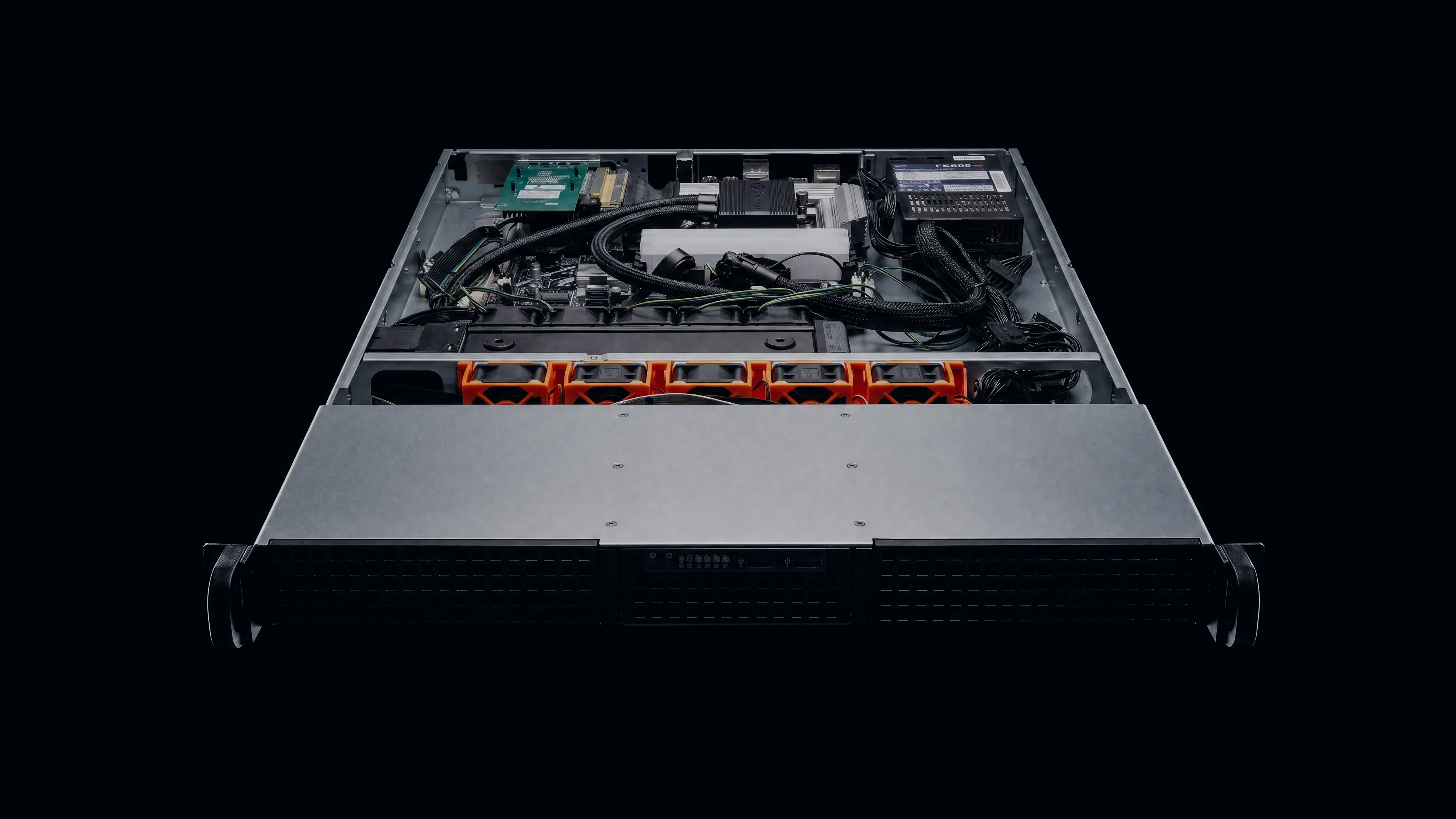
Go inside the build.
Watch us install the processor and assemble the rest of a physical server.
72hours under load
before handover
Each hand-built server must finish 72 hours of load testing before we hand it over.
Next: inside VXPanel Inside VXPanel
Manage your DayZ server in VXPanel.
See how VXPanel handles Workshop mod installation, planned restarts and server-file editing.
VXPanel / DayZScreenshot walkthrough
Task 01 / Install mods
Build your mod list.
Choose mods for your community and arrange the order in which they load.
- Find a mod by name or Workshop ID, then review its publisher's Workshop page.
- Follow the author's instructions to choose Install or Server-side.
- Before a maintenance restart, review Installed mods and their load order.
Check the dependencies listed by the mod author before installation.
Read the mod installation guide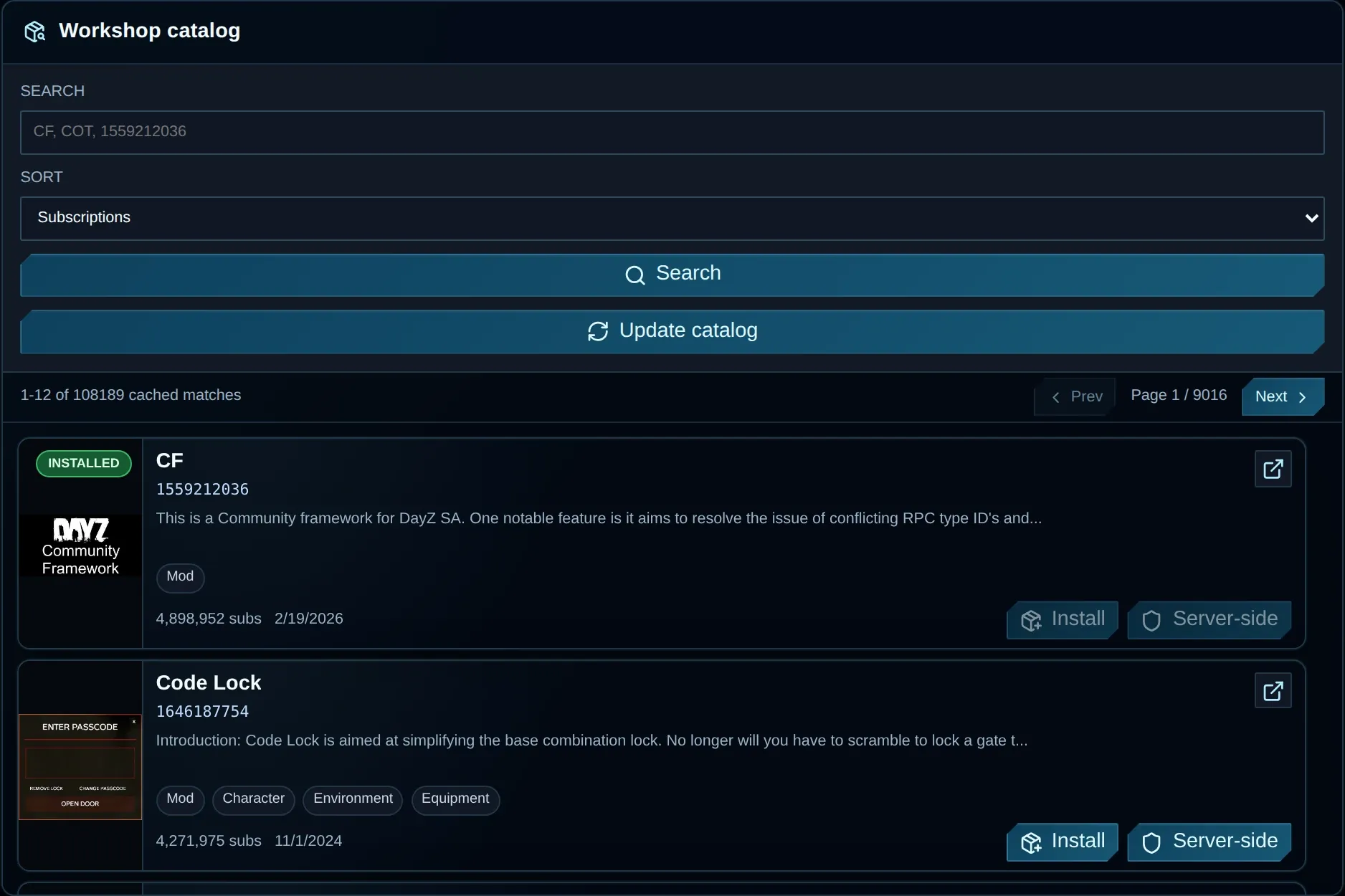
Scroll to inspect the controls
View full screenshot (opens in a new tab)
Task 02 / Schedule restarts
Plan your next restart.
Choose a timezone and time, check the resulting schedule, then save it.
- Set a restart frequency or supply your own custom expression.
- For a custom expression, confirm its timezone and previewed run times.
- Check the restart policy before creating the schedule, then verify it in the saved list.
Check the restart policy and choose a time when your community is quiet.
Read the restart scheduling guide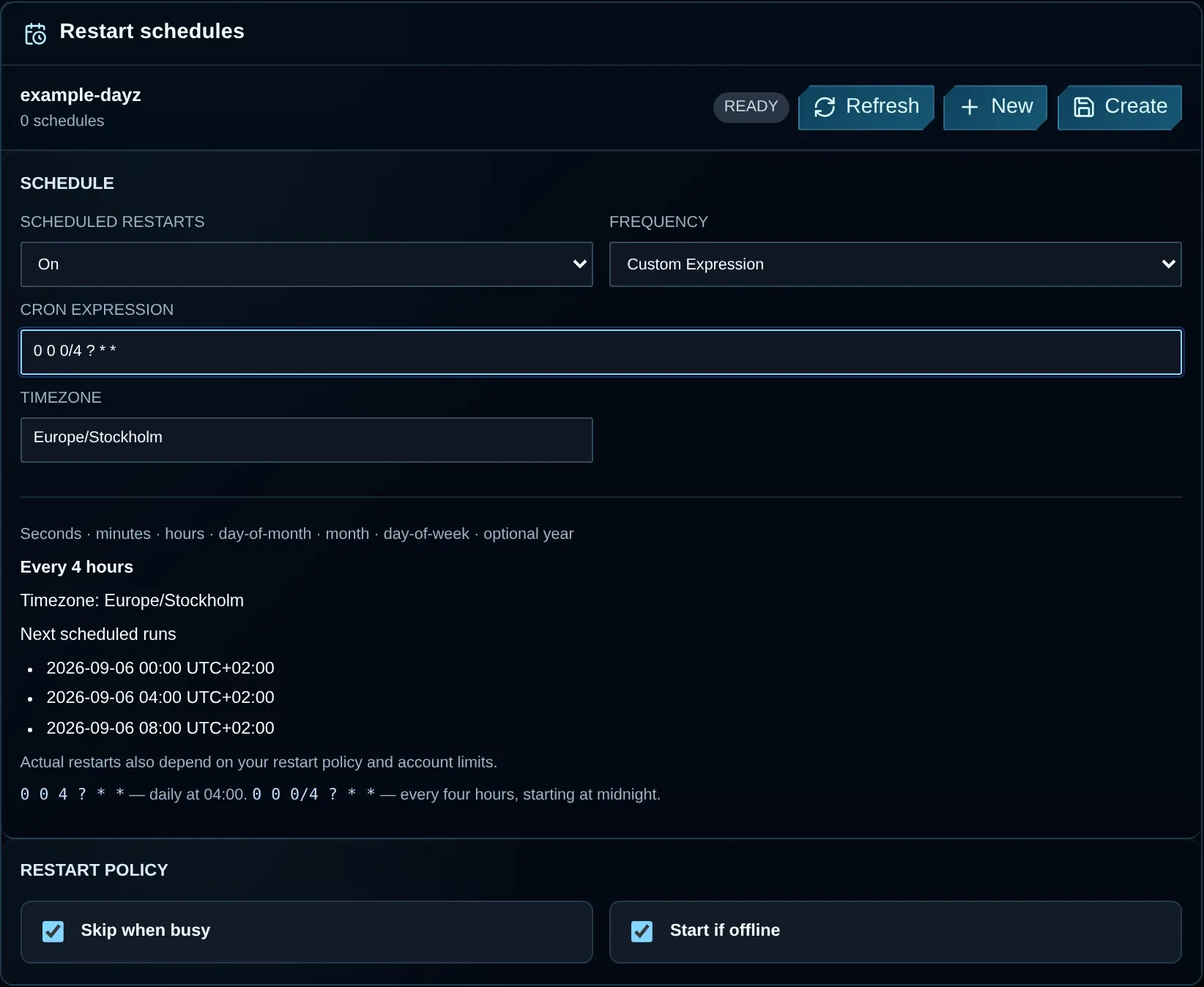
Scroll to inspect the controls
View full screenshot (opens in a new tab)
Task 03 / Manage files
Work with your server files.
Use File Manager to browse the server directory and upload your configuration.
- Navigate to the directory using the folder rows and path controls.
- Upload your configuration, or edit an existing supported text file.
- Retain the previous configuration and verify your saved edit.
Transfer larger files through SFTP.
Read the file access guide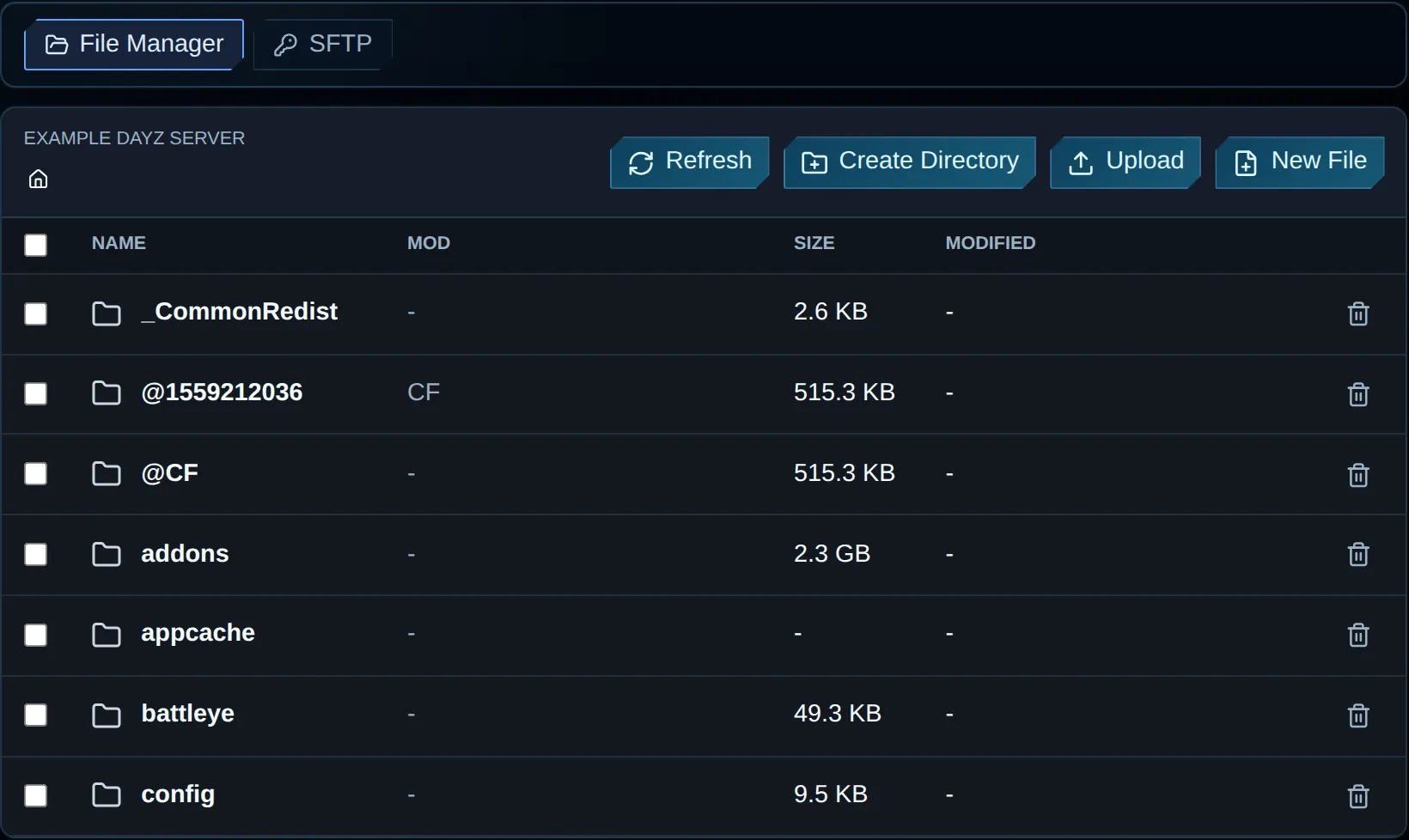
Scroll to inspect the controls
View full screenshot (opens in a new tab)
VxShield
DDoS protection included with your hosting.
VxShield checks incoming traffic upstream of your server, filtering attacks and passing legitimate player traffic through.
Diagram of three stages: the public network, the VxShield upstream filter, then the protected VYKIX game server.

Protection network 17 Tbps Combined filtering capacity across the protection network.
Included on every planGame servers, Game VPS and bare metal.
Game-aware filteringTuned for DayZ, Rust, and Arma traffic.
Network statusView live status (opens in a new tab) Two filtering layers
VxShield combines upstream mitigation from Global Secure Layer (GSL) with additional filtering on VYKIX's network.
View the Anycast mitigation network

Ground Zero / DayZ
Inside the Ground Zero attack.
Ground Zero runs its DayZ community on VYKIX with VxShield protection. The attack hit its European endpoint.
VxShield combines GSL upstream mitigation with filtering on our own network. See the upstream traffic measurements in the incident report.
Read the Ground Zero case study From the incident report
2.56TbpsRecorded network peak
- Packet-rate peak
- 224.85 million pps
- Recorded
Upstream measurements: Global Secure Layer (GSL) mitigation report.
Customer reviews
All Google reviews (opens in a new tab) What server owners say.
Long-term hosting
Support just keeps getting better and better, Niko & Vykix a credit to the gaming server world.
Hardware and support
We've used Niko's services for over a year now with fast support, minimal issues and great hardware.
Starting a server
Fantastic connectivity and an incredibly responsive tech team.
Selected customer experiences, quoted in English. Sources checked . Read the full reviews and replies on Google.
FAQ
Questions before you choose a server?
Which hosting type should I choose?
A managed game server leaves operating-system maintenance with VYKIX. Game VPS gives you root access for your own software. Bare metal provides a whole physical machine, whether you need it for one server or several.
What does a server cost?
Managed DayZ plans are listed from €39.99/mo, Rust from €29.99/mo and the other catalog games from €19.99/mo. Game VPS is listed from €49.99/mo and bare metal from €129.99/mo. Prices exclude VAT. EU orders add 23% at checkout; orders outside the EU add none. Managed game hosting bills per server without per-slot fees; Game VPS prices depend on the resources you choose. Bare metal covers the whole machine. Your order total, including applicable taxes and fees, is shown before payment.
Which processors are available?
Hardware depends on the product and location. Options include Intel processors from i5-12600K to Core Ultra 9 285K, plus AMD Ryzen 7800X3D, 7900X and 9800X3D. Check game-server and bare-metal plans for their named processor. Game VPS plans list their vCPU, memory and NVMe allocation.
Does VYKIX charge per player slot?
Managed game hosting adds no fee per player slot. Pick a server that can handle your game, mods and players. The pricing basis for Game VPS is its resources; for bare metal, it is the machine.
Can I try the hosting first?
Our game trials are free for 48 hours, including DayZ, Rust and Minecraft. Card verification carries no charge, and the trial ends without starting a paid subscription. It may run on different hardware from a paid plan. Export required files before the trial stops: we delete active data seven calendar days after suspension. A separate paid order is needed to continue.