Rearmed DayZ Hits 5.9GHz with VYKIX Overclocked Hosting
Inside our 2023 Rearmed DayZ build: the i9-13900K, custom cooling and tuning behind its reported 5.9 GHz configuration, with original build photos.
On this page
In December 2023, we worked on an i9-13900K build for Rearmed’s DayZ workload. The job was to get more from the processor and provide the cooling it needed.
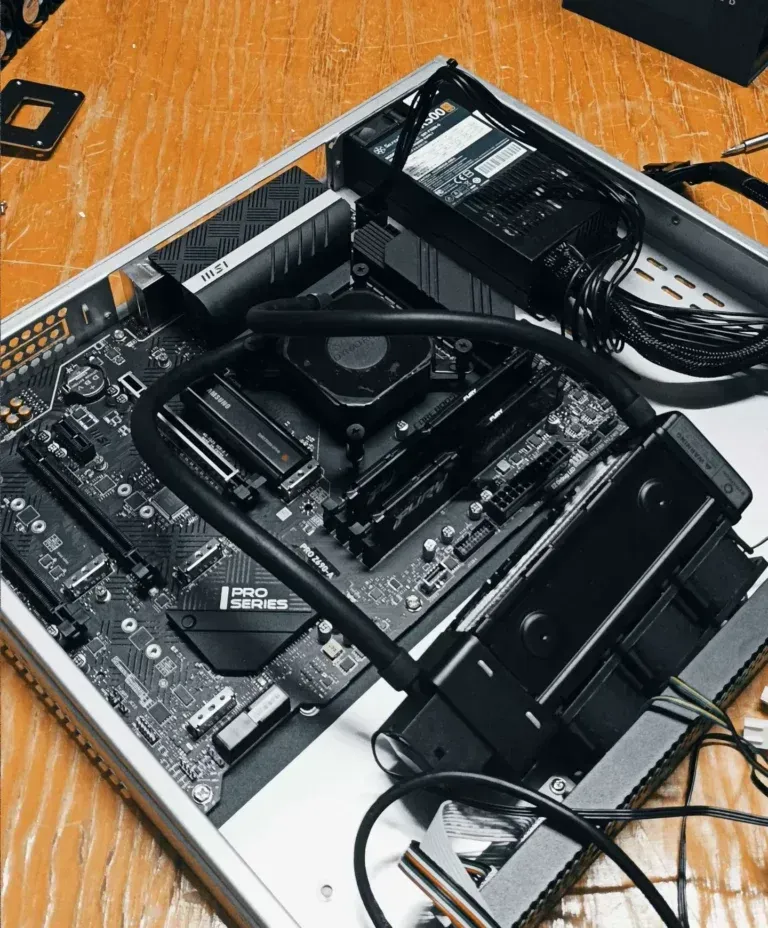
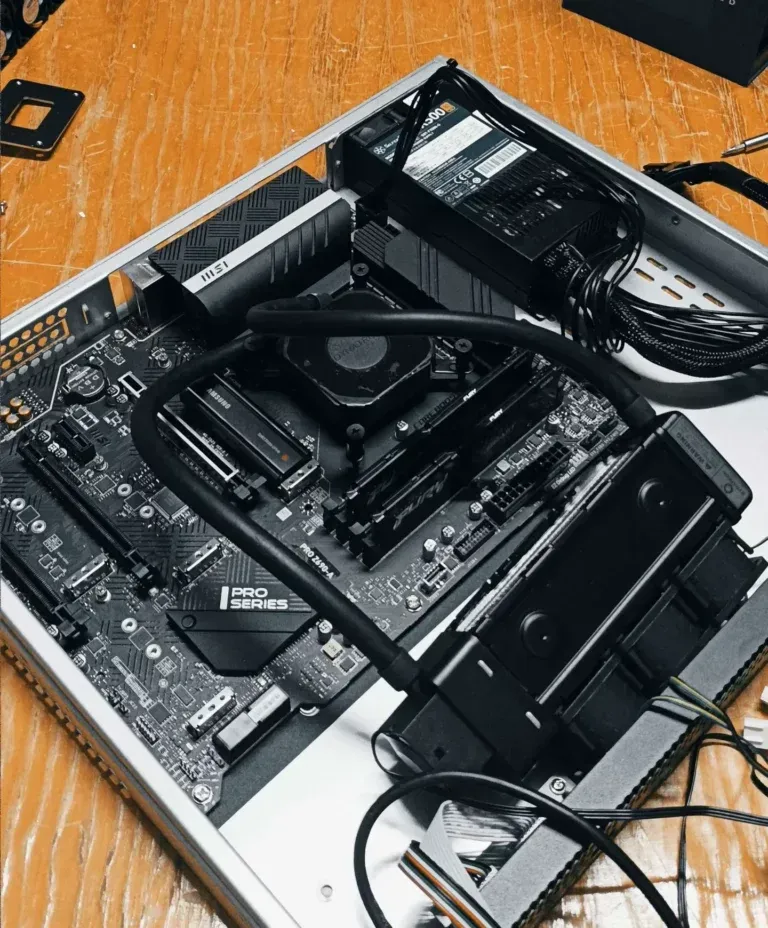
Our 2023 write-up described a 5.9 GHz overclock with liquid cooling. The photos show the parts and cooling loop inside the chassis. The test screenshots pair the DayZ console with Task Manager.
Why Overclocking Matters for DayZ Hosting
A CPU-bound DayZ server can benefit from more processing speed. The game uses multiple threads too: Bohemia lists worker-core settings and multithreaded replication in its server configuration documentation.
The workload determines what an overclock can help. Raising the clock on the same processor may improve server FPS, while a different population or mod mix can move the bottleneck. Measure the server’s simulation performance under that load; client-rendered FPS is a different measurement.
Enter the i9-13900K: Overclocked to 5.9 GHz
The Intel i9-13900K specification gives the chip:
- 24 cores / 32 threads
- 8 performance cores (P-cores) and 16 efficiency cores (E-cores)
- A maximum turbo frequency of 5.8 GHz, subject to operating conditions
We reported an overclock of 5.9 GHz, above that stock specification. The write-up does not say that all cores held that clock.
The Setup: Hardware and Cooling
We listed these parts and settings for the build:
- Intel Core i9-13900K with a 5.9 GHz overclock
- 64GB DDR5 RAM running at 6000 MT/s
- 1TB Samsung 980 Pro NVMe storage
- A custom water-cooling loop
- MSI Z690/Z790 PRO motherboard with OC voltage control and VRM cooling
- A 10Gbps network interface
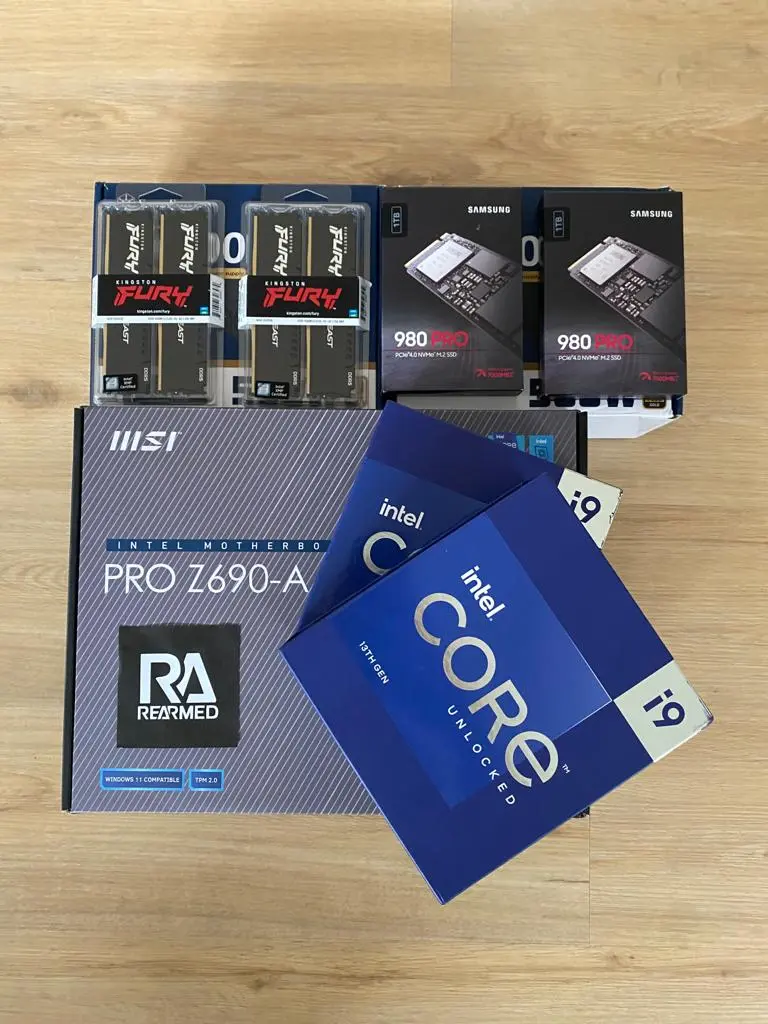
The parts photo shows MSI PRO Z690-A packaging with Kingston Fury memory and Samsung 980 Pro drives. Our parts list says 64 GB of RAM, while Task Manager shows 128 GB installed. We can’t confirm which configuration went with each test.
The water loop had to remove the heat produced as we adjusted frequency and voltage. Cooling was part of the tuning work throughout the build.
Clock Speed During Testing
Task Manager reads 5.75 GHz in this screenshot, beside a DayZ console displaying server FPS. We do not know how long the CPU held that speed.
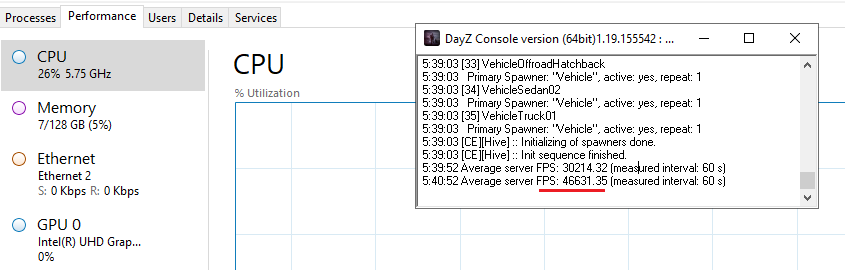
A before-and-after comparison would need the same map, mods, population and settings in both runs. Those runs and the full test logs are no longer available, so we can’t calculate how much the overclock improved performance.
How We Pulled It Off: Precision Overclocking
We described four stages of work in the 2023 write-up:
- Fit a custom water loop with large radiators and fans to control temperature.
- Choose a motherboard with the voltage delivery, sensors and overclocking controls needed for tuning.
- Adjust voltage, PLL and frequency with tools such as Intel XTU.
- Stress-test with Prime95, OCCT and MemTest, followed by a reported 72+ hours of live DayZ load.
Booting at a target frequency was the start of testing. We needed to assess the settings under load, where the processor and cooling system would have to sustain the work.
Changing clocks and voltage carries hardware risks. Intel warns that it can reduce stability and component life and may void warranties, even with suitable cooling.
Server FPS and Player Count
One console strip shows average server FPS of 909.88. Another image lists Rearmed US4 with 117 of 120 slots filled. Without a shared visible timestamp, we don’t know whether that FPS reading was taken under a 117-player load.


In your own testing, record population and workload with the server-FPS reading. That gives another admin the conditions needed to assess the result or repeat the test.
Why Clock Speed Matters for Your Server
For DayZ server hosting or Rust hosting, compare results from a workload close to yours. A server with few players and a busy modded community place different demands on the machine.
Include CPU architecture, memory, storage and server settings in the comparison. Run the mods and player load you expect before deciding whether the configuration gives your community enough room.
The hardware is one part of the service we build. VxShield handles DDoS protection through upstream mitigation and our own filtering. Use our MTU guide for packet-size configuration and the VxShield DayZ protection guide for firewall settings.
Want Performance Like This?
Share your map, mod list and expected population with us so we can discuss the workload behind the hardware choice. Confirm the available configuration and total in the live portal before placing an order.
Common Questions
Does overclocking improve DayZ server performance?
It can help a CPU-bound workload. Compare server FPS and frame times with the same mods, population and settings to measure the difference. CPU architecture and parallel tasks affect the result alongside clock speed.
Is liquid cooling necessary for DayZ server hosting?
No. Choose cooling for the processor’s power use and voltage, the case airflow and the workload. We used a custom water loop for Rearmed; air cooling can suit other configurations.
What CPU is best for DayZ servers?
Test with the map, mods, settings and population you intend to run, then compare server FPS and frame times. The i9-13900K setup in this article was a 2023 build; use current hardware options for your buying comparison.
How much does overclocked DayZ hosting cost?
The product and configuration determine the price. VYKIX managed game servers include VxShield DDoS protection. Before payment, check the live portal’s VAT-inclusive recurring or upfront total and any unavoidable fees.
Can overclocking damage a server CPU?
Yes. Intel warns that changing frequency or voltage can reduce component life, affect stability and may void warranties. Cooling and stress tests help assess a setup but cannot remove those risks.
For the network side of hosting, read the StalkerZ campaign account and the KarmaKrew A2S case study. Our guide to how much a DayZ server costs explains the pricing decisions.
Moving from another host? Eligible switchers can receive best-effort migration and seven days added to the paid plan once VYKIX confirms the scope. Terms apply.
Game-aware DDoS protection for your server.
Bring your community to VYKIX with VxShield protection included.
Continue with